Posted tagged ‘Apps’

QR Codes

December 26, 2012

So what the heck is a QR Code? Maybe you’ve heard the term, maybe not. These days you see them everywhere. A QR code is that little square bar code thingy that one sees on advertising. Here’s an example:
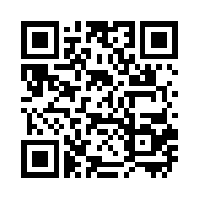
qrcode.10492819

QR codes typically can be found in advertising, product labels and the like. Sometimes you might see them on the back of a business card. They can be used to store pointer to a web site (URL) or just plain text. QR codes on the back of business card usually contain contact information.

You can see QR codes just about anywhere. You see them in ads and on labels. I’ve seen them on billboards, though I don’t think bill board placement is particularly useful. How are you going to scan the code from a moving vehicle. You think that texting while driving is bad? Try reading QR codes while driving.

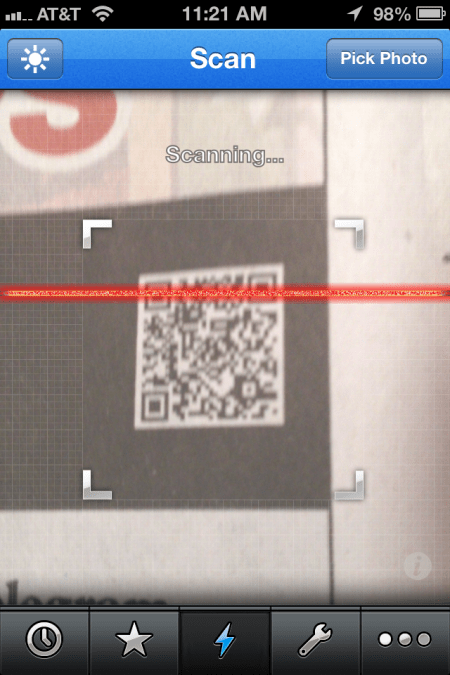
So how does one read and decipher a QR Code? First thing that you need is a smart phone. There are several apps for decoding QR codes, many of them free. The app uses your phone camera to scan the code and then decode it. The app that I use on my iPhone is called QRReader. There is a free version and a $.99 version. The free version has ads. You pay the $.99 to get rid of the ads. Fairly simple to use. Just start the app and line up your phone about 2-3″ from the add. As soon as the code is in focus the app beeps to let you know that it has been captured.

Here’s an image of the code being scanned:
2012-12-26 11.21.58

The app also has the capability to create a QR code. Also, there are a number of QR code generator web apps, most of them free. Here’s an web app that I’ve used at https://www.qrstuff.com You can either save your QR code as a JPEG file, email or print it.

There you have it. Now you can use QR codes to amaze and amuse your friends.

There’s an App for that

December 17, 2012

First, some administrivia. This is my 100th post. How’d that happen?

I thought I would write about some of my favorite iPhone/iPad apps. As many of you know (or may not) I own a 3rd gen iPad and in iPhone 4s. Here in no particular are some of the apps that I use a lot. Note, most of the hyperlinks takes you to the iTunes store.

Shazam

Shazam is in app for identifying music. Push the button and the app will listen for about 30-60 seconds and report to you what you are listening. It is truly amazing. Even works with classical music. BTW, it’s free.

GroceryIQ

An app for managing grocery lists. Sync’s with your grocery list in the cloud. So you can add something on the iPad list and it shows up your iPhone list. There is also a web version. Free. There is also an Android version.

Dropbox

Dropbox is a cloud file storage service. I pay $10 a month for 100Gb of storage. There are Dropbox apps for iPhone, iPad, Android, etc. You selectively sync folders on to your device.

Sheet Music Apps

When the iPad first came out, I decided it would be an excellent platform for storing my collection of sheet music. I had hundreds of pages of sheet music stored in loose leaf binders. This was a killer app for me.

Readdledocs and PDF Expert

At first I used Readledocs together with dropbox to put my sheet music (stored as PDF files on Dropbox) on to my iPad. I also used a similar app called PDF Expert. I believe that both apps support Google drive (another cloud storage service). Both apps support annotation of the files. Readdledocs is $4.99 and PDF Expert is $9.99.

Forscore

Forscore is a sheet music management app. One loads music scores in PDF format into the app. Then one can assign to a genre (eg. Classical, Pop, etc.)

But there’s more. You can create ‘Set Lists’ then organize according to the way you plan to play the music. You can import from Dropbox and other cloud storage services. Then add other meta-data related to each score (author, tags, etc.)

They also sell music scores. Price $4.99. Well worth the money.

Musicnotes

Musicnotes is another sheet music app. The difference here is that it is primarily for viewing scores bought from their service on musicnotes.com. The app is free, but you have to buy music from them.

They have an option for loading PDF files that you have created. But this costs $9.99 and doesn’t work very well. I either scan the music on my flat bed scanner or use an app called DeskPDF to create the PDF file. For my money, Forscore is way better.

PWsafe

PWsafe is an app for managing usernames and passwords. The app is free, but for a couple of dollars you can add the function to sync password files on Dropbox or other cloud file services. In my online world I have many accounts on many different services. (eg. Banking, Shopping, Social media, Subscriptions, etc.). Using the same password on all of one’s accounts is a bad idea. So remembering multiple passwords is (at least to me) impossible. PWsafe encrypts the file that stores your passwords. Now you only need one master password to open the file. IOS devices and Android supported as well as Windows PC.

That’s enough for now. More later…